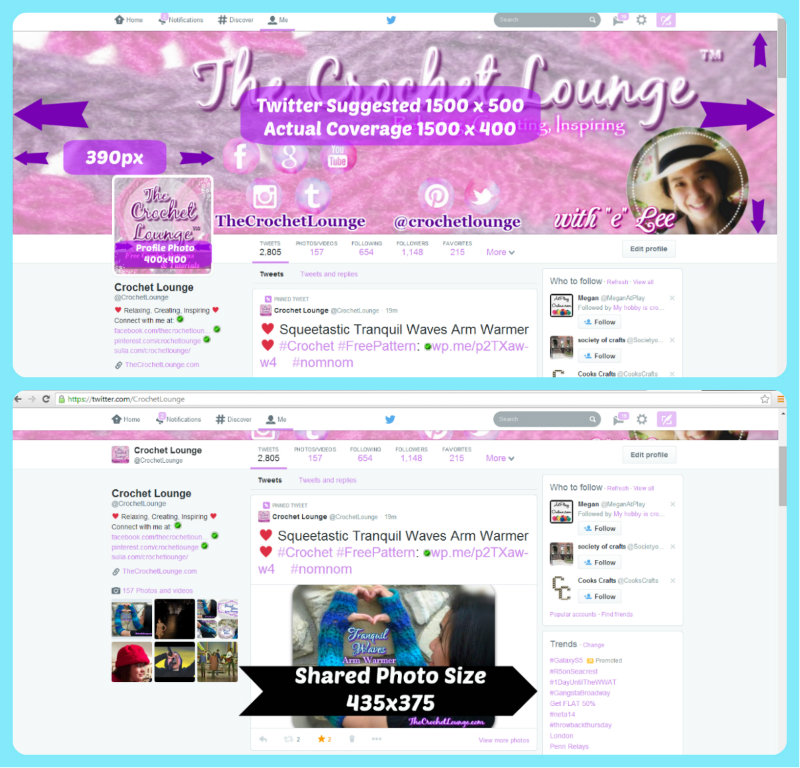
Twitter Timeline Dimensions April 2014
In the ever changing face of social media, the small business owners often take care of every aspect of their own social media presence right down to the graphics. The average solopreneur in the crafting industry either stumble across the change or find themselves at a loss yet again.
Whether it's for your small business or simply to make your personal profile on Twitter more spectacular, here's a quick screen capture with dimensions post to help you achieve the display you desire.
Naturally, let's help each other thrive! Here are the April 2014 Twitter Timeline dimensions in layout format and in text. Enjoy!

Twitter's new Timeline features a Cover Photo section, Profile Photo, Bio, Location & Website text area and an editable Theme Color.
Cover Photo Section has a suggested 1500 x 500px size, while the actual display is 1500 x 400px via testing on @CrochetLounge. The cover photo section also features the parallax effect, which means when you scroll down , the image itself will 'stick' and the white container line will seem to move up over the bottom portion of the image.

Profile Photo section is now larger, and is still a square shape with a suggested 400x400px photo size. When you scroll down, the Profile Photo will scroll up into the Cover Photo section into the parallax cover photo image and shrinks to a size the same as the navigation bar (neat to see).
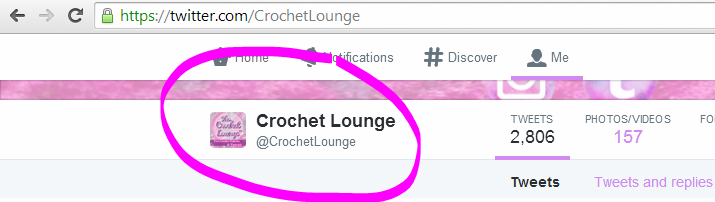
Bio section has a character limit of 160 and automatically links any weblink written within. Weblinks will display without the "http://", but whether or not you type it in, it counts as an additional 7 characters.
Location section has a character limit of 30 characters and does not automatically check for location (use your imagination).
Website section will link with or without the "http://" typed in frontwhich reflects in the links within your tweets, an empty Cover Photo area
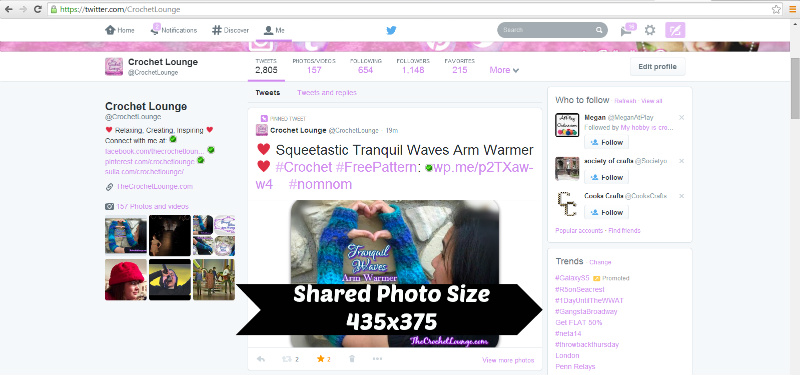
Photo share dimension still the same as before at 435 x 375px. So if you have an irregularly sized photo that may get cut off like the Tranquil Waves Arm Warmer shown, simply edit the canvas size to 435 x 375 px and center your image! :)
Was this helpful - come show me your brilliant new Twitter profile by tweeting me @CrochetLounge and help share, comment, pin this post :)
You can also find me via other social media channels at:
♥ 


 ♥
♥